The Key to Successful Salesforce Integrations for Seamless Workflows


If you’ve spent any time in the world of revenue operations, you know the feeling: your CRM is a goldmine of data, but your team is still spending half their day playing "copy-paste" between five different browser tabs. You have the world-class Salesforce CRM, but it feels like it’s living on a deserted island. This is the integration gap.
While the benefits of Salesforce are undeniable, the platform truly becomes a powerhouse only when it’s talking to the rest of your tech stack. A Salesforce integration is the difference between a fragmented sales process and a high-velocity revenue engine.
In this guide, we’ll explore how to navigate the complexities of connecting your CRM, the common hurdles that trip up even the best RevOps teams, and how to use sales tools to create a workflow that actually flows.
Why Salesforce Integrations Are No Longer Optional

In 2025, the "Single Source of Truth" is the holy grail of sales. When your salesforce integration strategy is firing on all cylinders, you are moving data and moving the needle on your bottom line.
Centralized Intelligence: Instead of digging through a marketing tool for lead history or an accounting system for payment status, everything lives in one record.
Reduced "Toggle Tax": Every time a rep switches from Salesforce to an external dialer or email client, they lose focus. Native integrations keep them in the zone.
Predictive Power: Modern salesforce tools now use AI to analyze integrated data, giving you 360-degree insights into customer health that a standalone CRM simply can't provide.
Common Challenges (And How to Dodge Them)
Integrating systems is rarely as simple as clicking a "connect" button. If it were, every company would have perfect data. Here are the most common friction points businesses face:
1. The "Garbage In, Garbage Out" Trap
Data quality is the most cited challenge in any integration project. If your source system has duplicates or outdated info, those errors will spread like wildfire across your Salesforce instance.
The Fix: Use data hygiene services like Tendril Enrich to verify lead data before it hits your CRM. Clean data leads to clean integrations.

2. API Limits and Throttling
Salesforce isn't an infinite resource. Every integration consumes API calls. If you have five different Salesforce third-party tools all "polling" for data every five seconds, you'll hit your governor limits faster than you can say "RevOps".
The Fix: Prioritize integrations that use "Bulk API" for large data sets or event-driven models like "Change Data Capture" to minimize unnecessary calls.
3. Security and Compliance Hurdles
Opening a door between systems creates a potential vulnerability. Ensuring that your Salesforce workflow automation respects GDPR, HIPAA, or SOC2 standards is critical.
The Fix: Always opt for OAuth 2.0 authentication over sharing passwords, and leverage Salesforce Shield to monitor data access across integrated apps.
Designing for Productivity: Workflow Automation
A successful integration should lead directly to improving sales through automation. This isn't just about moving data; it's about triggering actions.
For example, a high-performing Salesforce workflow automation might look like this:
A prospect fills out a form on your website.
Salesforce integration with your marketing tool creates the lead record instantly.
An automated routing rule assigns the lead to the correct rep based on territory.
A sales tool like Tendril Connect immediately places that lead in a high-priority call queue.
When the rep has a conversation, the call outcome is automatically logged as a Task in Salesforce—no manual entry required.
According to recent studies, companies that master this type of "orchestrated execution" can see up to a 37% increase in sales productivity.
Choose the Right Salesforce Third-Party Tools
The AppExchange is massive, but "more" isn't always "better." When selecting sales tools to integrate, focus on those that offer native connectivity.
Native integrations (like our Salesforce and Tendril Connect integration) are built specifically for the Salesforce ecosystem. This means they respect your existing security profiles, custom objects, and validation rules without needing expensive middleware or custom coding.
Bridge the Last Mile with Tendril
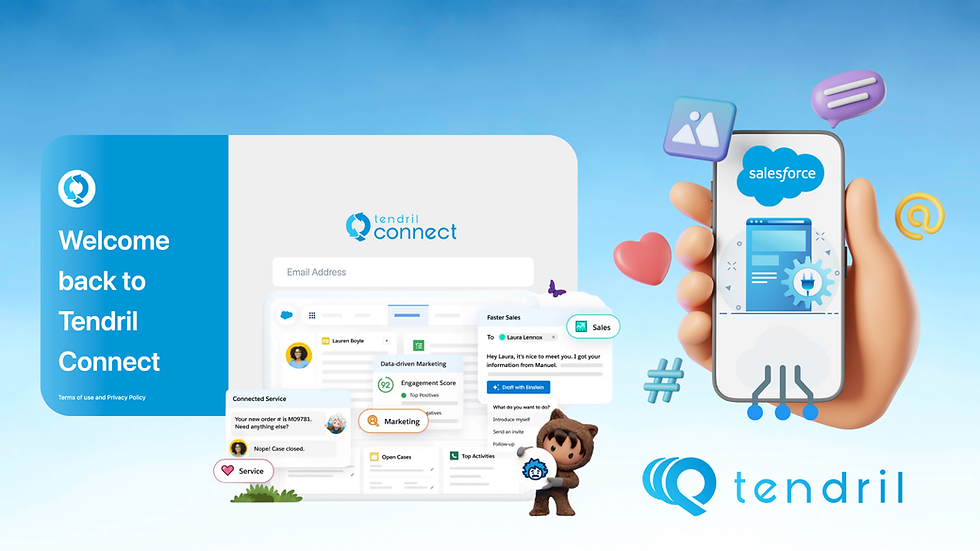
Building a seamless workflow is about more than just technology; it’s about empowering your humans to be more human. The best Salesforce integration strategy removes the administrative "grind" so your reps can focus on the art of the sale.
At Tendril, we understand that your CRM is the brain of your operation. That’s why we’ve built Tendril Connect to be a seamless extension of your Salesforce environment. Our Salesforce integration syncs data and transforms your Salesforce Reports into a live, agent-assisted conversation engine.
While other tools leave your reps manually dialing and navigating voicemails, Tendril does the heavy lifting. We bridge the gap between your CRM data and your live conversations, ensuring that when your reps are on the phone, they are talking to real decision-makers—with all the relevant Salesforce context right in front of them.
Ready to see Tendril Connect in action? Schedule a demo today and find out how we can turn your Salesforce instance into a high-speed conversation machine.
FAQ Section
1. What is the difference between a "Native" and "Third-party" Salesforce integration?
A Native integration is built directly on the Salesforce platform or uses their specific APIs to look and act like a part of the CRM. A general third-party integration often requires a middleman (like Zapier or Mulesoft) to "talk" to Salesforce, which can lead to higher latency and more complex maintenance.
2. How do integrations improve sales productivity?
Integrations eliminate the need for manual data entry and "context switching." For instance, when your dialer is integrated, it can automatically log every call as a task, saving a rep several minutes per interaction.
3. What are the biggest risks of poor Salesforce integration?
The primary risks are data silos, duplicate records, and reaching your API limits. If systems aren't mapped correctly, you end up with "dirty data" that makes your sales forecasting and reporting unreliable.
4. Does Tendril Connect require complex coding to link with Salesforce?
No. Tendril Connect offers a native-style integration that uses OAuth for secure authentication. You can simply connect your instance and start pulling Salesforce Reports directly into the dialing engine without writing a single line of code.
5. Can I automate follow-ups based on Salesforce call outcomes?
Yes. By using Salesforce workflow automation (like Flows), you can trigger specific actions—such as sending a follow-up email or changing a Lead Status—the moment a Tendril Connect call outcome is logged.


I came across Royal Fishing open while looking for something with a more active style, and the Jili Games title immediately seemed different. Instead of relying entirely on reels, the game puts you underwater and lets you aim at different creatures. I enjoyed the fact that the action depends on where you shoot, while special targets can lead to additional effects. The Thunderbolt Lobster feature provides a short timed sequence with automatic shooting, and the Drill Bit Lobster can hit multiple fish in succession. Another feature I noticed is the Chain Long King Wheel, which introduces multipliers. The game is listed with medium volatility and an RTP between 96.5% and 97%. It is also optimized for mobile devices, which makes…
A integração eficiente entre sistemas é fundamental para manter fluxos de trabalho ágeis em qualquer empresa. Ferramentas que automatizam processos economizam tempo precioso que pode ser dedicado à estratégia. Para organizar seus canais de comunicação e facilitar o acesso de clientes, considere utilizar biolinku.com/pt/blog/what-does-link-in-bio-mean. Ter todos os pontos de contato reunidos em um único local é uma vantagem competitiva real.