Supercharge Your Sales Efforts with Tendril Connect and Salesforce Integration

Salesforce is the go-to system for revenue teams. It helps plan pipelines, track customer interactions, and measure outbound performance. However, while Salesforce contains the data, it is not built to handle large-scale calling on its own. Reps often find themselves dialing, retrying, and logging activities more than actually speaking with prospects.
This is the challenge Salesforce phone integrations aim to solve, and it is exactly where Tendril Connect creates a more productive workflow.
Instead of giving reps another dialer panel, Tendril Connect provides an outbound conversation engine that plugs directly into Salesforce. It uses agent-assisted dialing to handle the high-volume work, then warm-transfers only live conversations back to your reps.
The result? Faster outbound calls, cleaner data, and a dramatically better use of your team’s selling hours.
Understanding Salesforce Phone Integration and CTI

As of 2025, Salesforce remains the leader in the CRM space. It holds roughly 20.7% of the global CRM market, making it the largest CRM platform worldwide.
This means a vast number of sales teams across various industries rely on Salesforce to manage pipelines, leads, contacts, and activity workflows.
Salesforce phone integration connects your calling tools to Salesforce. This allows calls, outcomes, and activities to be logged automatically. Most integrations use CTI (short for Computer Telephony Integration), which embeds a softphone or dialer inside Salesforce.
CTI helps teams place individual calls, but it still puts the workload on the reps. They dial, retry, and log the results.
Tendril Connect works differently. Instead of embedding a dialer, it offloads the dialing work to an expert team. Reps remain inside Salesforce, but they no longer grind through calls. They simply take warm transfers whenever a live prospect is reached.
How Tendril Connect Integrates With Salesforce

The integration is intentionally lightweight. A Salesforce admin authenticates Tendril using OAuth credentials. This means Tendril inherits all existing permissions, security rules, and visibility settings.
There is no custom object setup, no API work, and no heavy admin prep.
Once connected, the outbound workflow begins inside Salesforce itself. You create a Salesforce report using Accounts, Contacts, or Leads. This becomes your call list. There is no exporting into spreadsheets or reformatting lists for a separate tool. Tendril Connect reads that report and handles the rest.
Tendril’s dialing team calls through your report, filters out disconnected numbers, manages IVRs, and handles the repetitive parts of outbound. When someone answers, the call is transferred directly to your rep or CSM.
After each call, Tendril Connect writes a completed task back into Salesforce with consistent dispositions, timestamps, and related records. The full workflow stays inside Salesforce, but your team gets the benefit of a high-volume calling engine behind the scenes.
What Tendril Connect Does Better Than a Standard Dialer
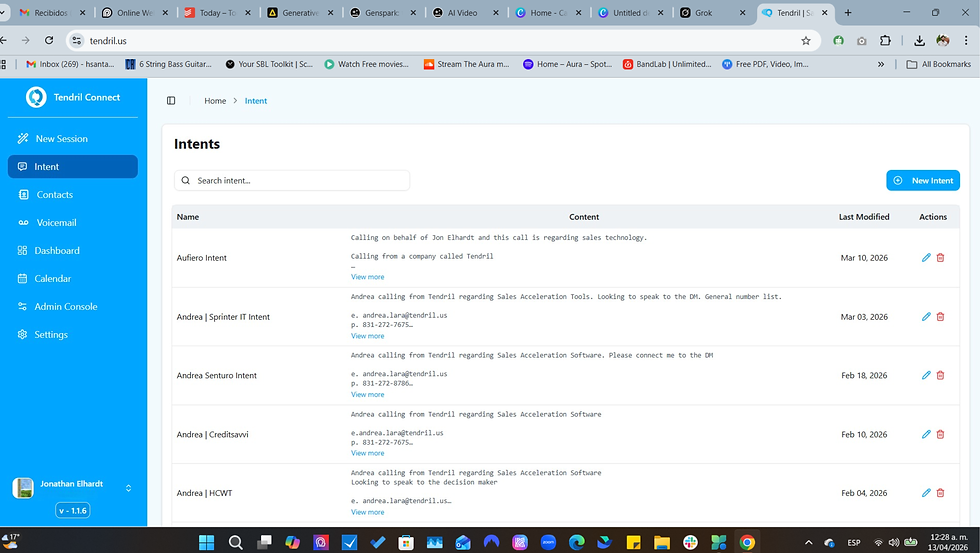
Tendril Connect improves outbound performance in several key ways, especially for teams that need scale, consistency, and real results:
Higher rep productivity. Manual dialing eats up rep bandwidth. By shifting dialing work to Tendril, reps spend more time talking to live prospects and less time managing bad numbers or logging calls.
Cleaner data and call logs. Every call is logged automatically — with consistent dispositions — eliminating manual entry errors, missed calls, or inconsistent reports. That results in better forecasting and more accurate dashboards for sales leaders and RevOps teams.
Scalability without headcount. Rather than hiring more SDRs or building a larger dialing team, companies can ramp up outbound by leveraging Tendril’s dialing infrastructure. It’s a cost-effective way to test new markets, run high-volume campaigns, or expand outreach.
Native CRM workflow preserved. Reps and managers stay inside Salesforce. There’s no new tool to learn, no extra dashboards, and no added complexity. Tendril simply amplifies the outbound channel while keeping your existing CRM habits intact.
Because Salesforce powers over 150,000 businesses globally, and many large enterprises rely on it to drive revenue operations, a scalable telephony integration like Tendril Connect can transform how outbound motions are executed and tracked.
How Tendril Fits Into Salesforce Workflows

A core benefit of Tendril Connect is that it does not disrupt existing Salesforce processes. Reps continue working inside the CRM just as they always have. Tasks show up where they expect to see them. Reports behave the same. Leaders and RevOps teams continue using their existing dashboards for performance visibility.
Tendril simply strengthens the outbound engine. Reports become call lists, call lists become conversations, and conversations are logged directly back to Salesforce. Everything stays centralized.
Why Teams Choose Tendril for Salesforce Calling Integration
Teams that rely on Salesforce for outbound outreach choose Tendril because it solves what CTI tools cannot. CTI is useful for individual calls or small teams, but it does not remove the manual dialing workload that slows outbound programs. Tendril Connect brings scale, consistency, and efficiency without requiring a stack of additional tools.
It delivers more live connects, cleaner data, and a repeatable workflow that supports both sales and RevOps goals. The experience feels native to Salesforce, but the underlying engine is significantly more powerful.
How to Get Started with Tendril Connect
If Salesforce is where your team plans and tracks outbound motion, Tendril Connect is the fastest way to turn that data into conversations. It increases connect rates, cleans your activity logs, and gives your team a scalable calling engine without adding internal headcount or new tools to learn.
If you want a Salesforce phone integration that actually improves results rather than adding more complexity, Tendril Connect is the simplest and most effective option.
Ready to upgrade your Salesforce outbound motion? Schedule a Tendril Connect demo and see how agent-assisted dialing can transform your team’s results.

FAQs: Tendril Connect and Salesforce Integration
1- Does Tendril Connect replace Salesforce CTI tools?
No. Tendril works alongside CTI tools rather than replacing them. CTI is helpful for direct calling, while Tendril accelerates outbound by removing manual dialing and warm-transferring conversations to reps.
2- How does Tendril Connect log activities in Salesforce?
Tendril writes each completed call as a Salesforce task and includes the outcome, timestamps, related records, and optional notes. This ensures consistent and accurate reporting.
3- What Salesforce data does Tendril use?
Tendril only uses the data allowed by your existing permission sets and sharing rules. The OAuth connection respects all Salesforce security policies.
4- How do I create a call list for Tendril?
You create a Salesforce report using Accounts, Contacts, or Leads. That report becomes the call list. There are no exports or spreadsheets.
5- How long does the integration take?
Most teams connect, build reports, and run their first session in just a few days. No development work or custom setup is required.


Comments